Tapping Your Goodz
Your phone's NFC reader is built in. Hold your Goodz flat against the reader for a couple of seconds and a notification opens your content. The reader sits in a different spot on iPhone and Android:
iPhone
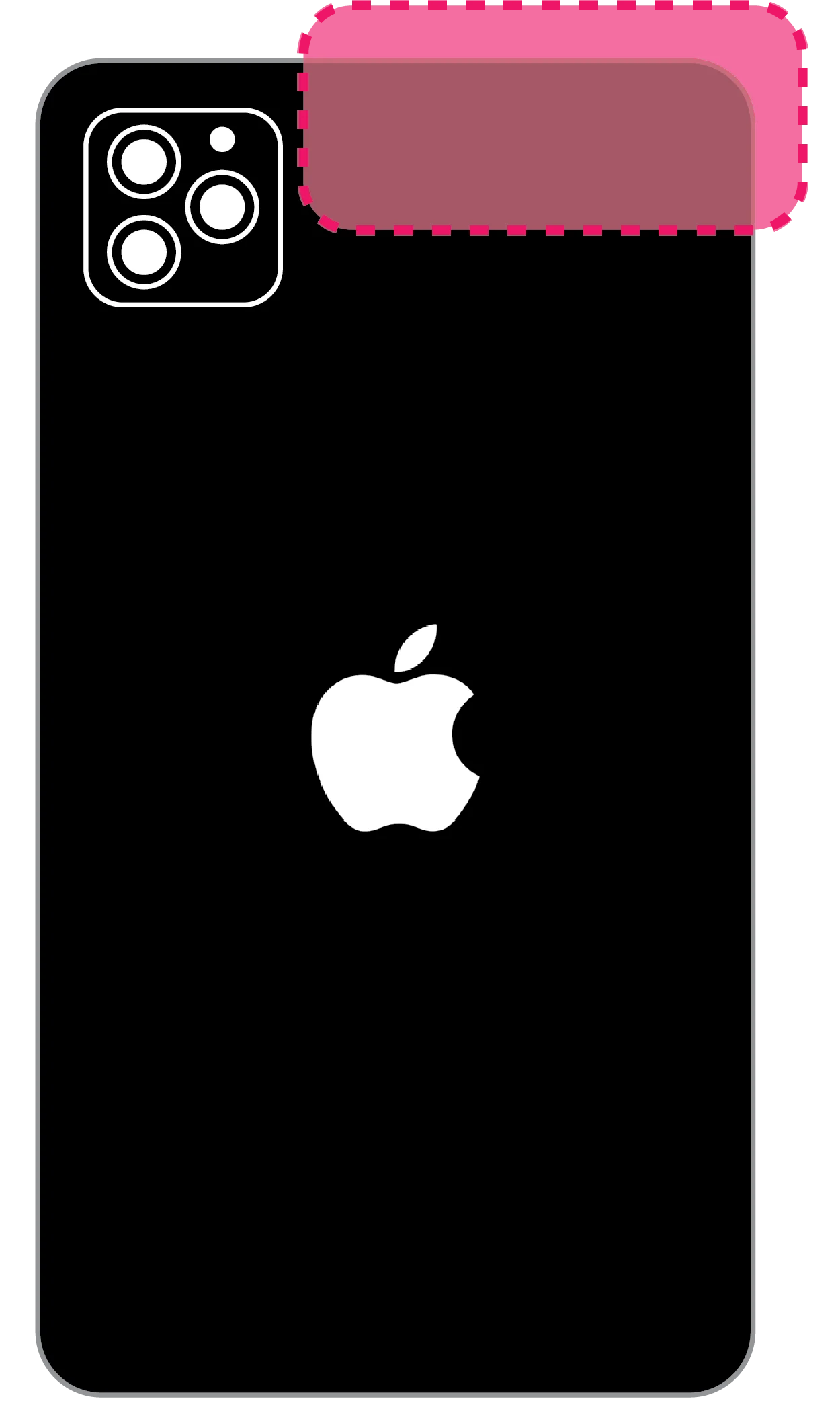
The reader is on the back, along the top edge, next to the cameras.
iPhone 11 and newer: wake your phone, hold its top edge against your Goodz for a few seconds, then open the notification that appears.
iPhone 7, 8, and X: wake and unlock, swipe up to open Control Center, tap the NFC icon to start a scan, then hold the top edge against your Goodz.
Android
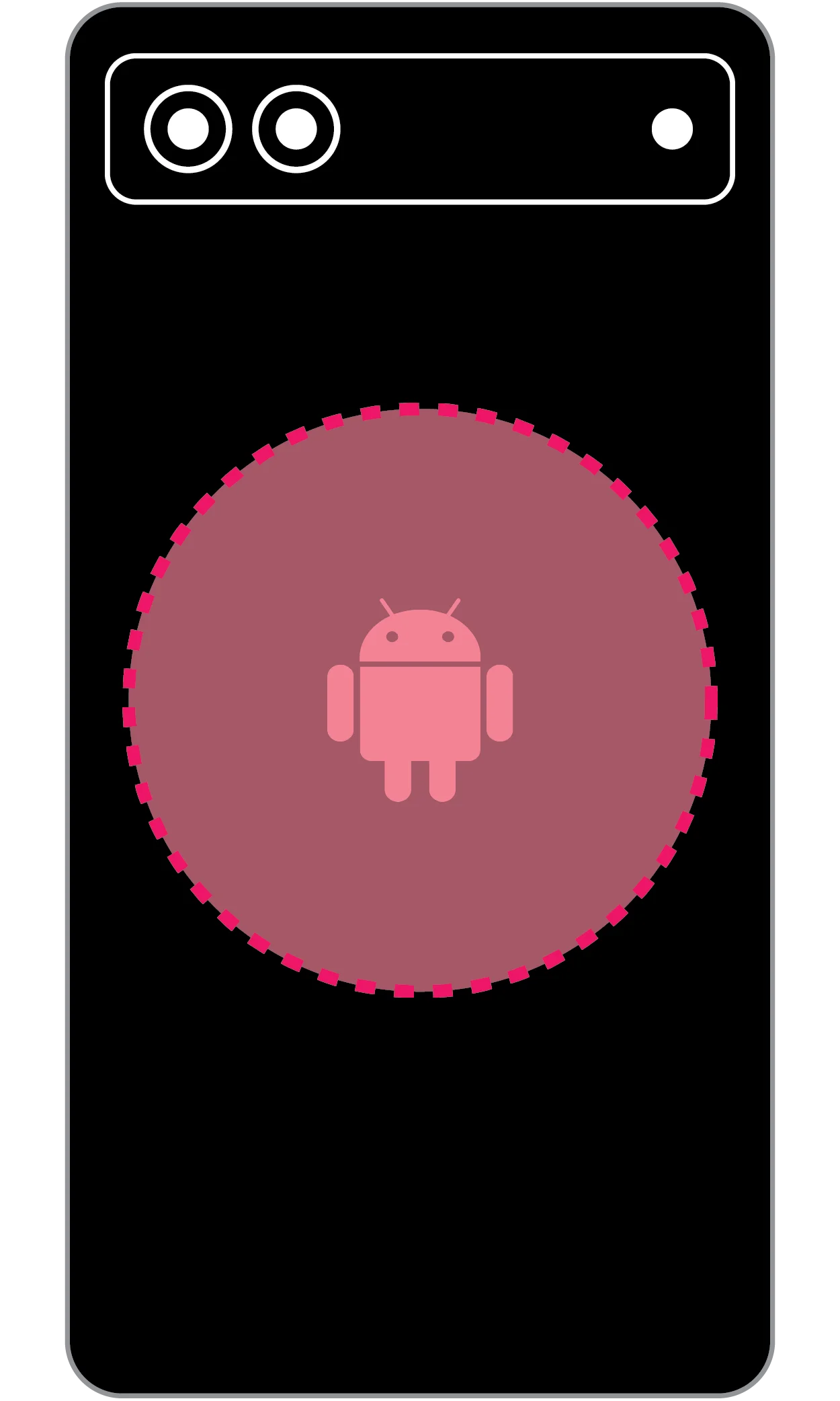
The reader is usually in the middle or upper-middle of the back.
Make sure NFC is enabled in Settings, then hold the middle of your phone's back against your Goodz for a few seconds and open the notification that appears.
- Hold the phone against the Goodz for longer.
- Close the camera app if it's open: it can interfere with NFC.
- Make sure your phone has adequate charge.
- Verify your phone's operating system is up to date.
- Restart the phone and try again.
The Mixtape: finding and loading your playlist link
- Find your playlist link on your favorite streaming platform using the guides below.
- Copy your playlist link.
- Paste your playlist link into the field shown on your Mixtape Goodz setup page.
- Click Submit.
Custom Goodz
- 300 DPI minimum resolution
- 20 MB max file size
- PNG, JPEG, TIFF, PDF file format
- 2.76" × 2.76" canvas with 0.10" bleed on all sides. Keep important elements 0.06" inside the trim edge.
For the full artwork diagram and downloadable templates, see artwork specs on the Custom Goodz page.